The single biggest mistake people make with adult AI image generation is expecting one model to do everything. A generator tuned for convincing photoreal skin will turn out flat, off-model anime, and a generator built for clean line art will produce uncanny, plasticky “photos.” The look you want should decide the tool you pick, not the other way around.
This guide explains why realistic and anime outputs pull in opposite directions technically, what each style actually needs to look good, and how to choose between the AI nude generators and the AI hentai generators depending on the result you have in mind. Everything here assumes fictional adult characters only.
Why one model rarely nails both looks
Image models are shaped by their training data. A checkpoint trained on millions of photographs learns the statistics of real light, real pores, and real anatomy. A checkpoint trained on illustrations learns flat color regions, deliberate line weight, and stylized proportions that no camera ever captures. These are not two settings of the same dial. They are different distributions, and a model leans toward whichever one it saw most.
When a generator tries to serve both from a single base, you usually get a compromise that satisfies neither camp. Ask a photoreal model for anime and it tends to produce a “2.5D” hybrid: anime-ish faces sitting on rendered, semi-realistic bodies, with muddy line work and lighting that fights the flat shading. Ask an anime model for a photo and skin reads as airbrushed, textures vanish, and faces drift toward the doll-like uniformity of the illustration data.
The services that produce genuinely strong results tend to specialize, or at least ship separate model paths for each style rather than one all-purpose checkpoint. That is the practical reason this comparison is split into two hubs in the first place.
What “realistic” needs to look good
Photoreal output lives or dies on three things, and all three are hard.
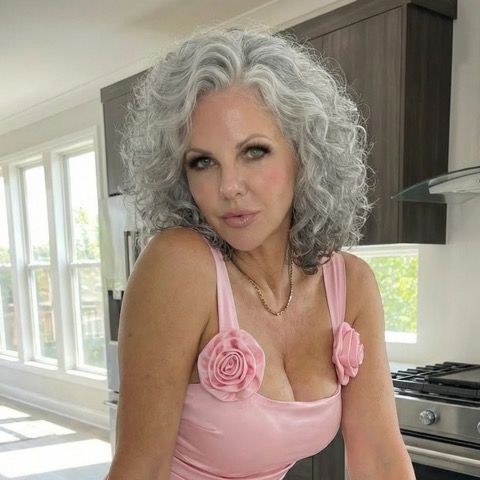
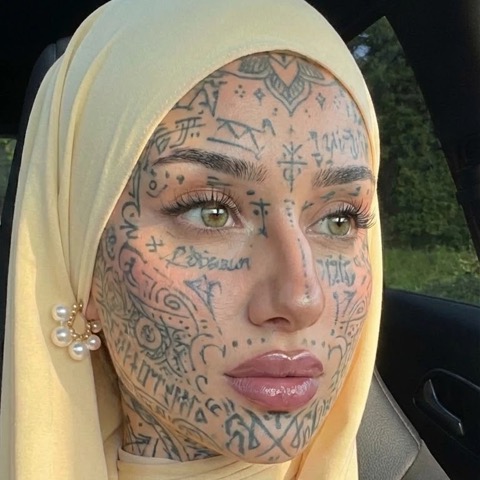
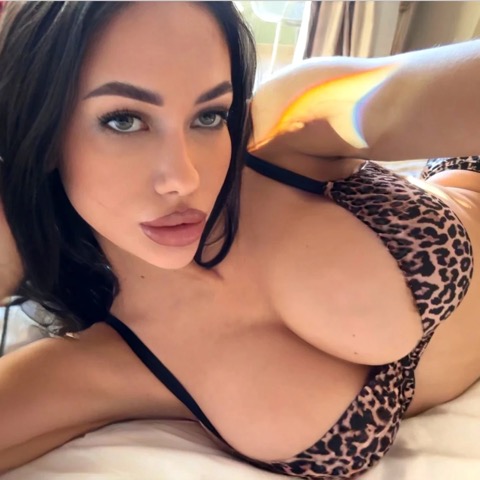
Skin. Real skin has texture, micro-variation in tone, subsurface scattering, and small imperfections. The tell of a weak realistic generator is skin that looks like smooth latex. Good models preserve pores, faint blemishes, and the way light penetrates and softens at the surface. If everything looks airbrushed, the model is too smooth or your prompt is over-sanitized.
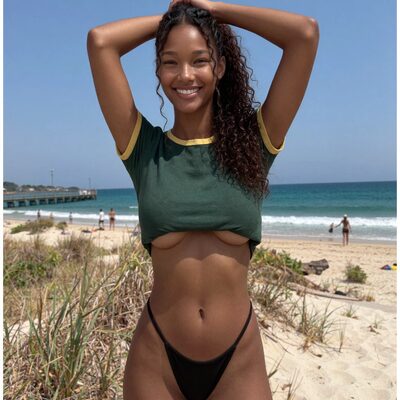
Lighting. Believable photos have a coherent light source: consistent direction, soft falloff, contact shadows where the body meets a surface. Realistic generators that “get it” produce shadows that agree with each other across the whole frame. Cheaper output betrays itself with flat, ambient, sourceless light that makes the subject look pasted in.
Anatomy. This is where realistic generation is least forgiving, because viewers are experts in human bodies. Hands, the join of limbs to torso, the proportion of the face, and the way weight settles all have to be right. A small anime error reads as stylization; the same error in a photo reads as horror. Realistic models need stronger anatomy priors, and you should generate several variations and cull the broken ones rather than expecting the first result to be clean.
For this look, Promptchan is a sensible starting point: its realistic path handles skin texture and lighting well, and it lets you generate enough volume to pick the cleanest anatomy out of a batch.
What “anime” and “hentai” need to look good
Stylized output trades photographic accuracy for a different, equally demanding set of qualities.
Line art. Anime is defined by its outlines. Clean, confident, consistent line weight is the difference between a polished illustration and a smeared sketch. Weak anime generators produce broken, doubled, or fuzzy lines, especially around hair and fingers. A strong anime model keeps lines crisp and intentional even on complex shapes.
Shading. Most anime uses cel shading: a small number of flat tone bands rather than the continuous gradient of a photo. Soft anime styles add a gentle airbrush layer on top. The model has to apply these as deliberate flat regions, not as muddy approximations of realistic light. When shading turns gradient and grayish, the output stops reading as anime.
Style consistency. Within a single image, the eyes, the hair rendering, the proportions, and the color palette all have to belong to the same visual language. Across multiple images of the same character, that consistency matters even more if you are building a set. Anime generators that bolt a style onto a realistic base tend to wobble here, with proportions and rendering drifting shot to shot.
For this look, Betterwaifu is purpose-built: it is an anime-first generator, so line art, cel shading, and style consistency are the things it optimizes for rather than treats as an afterthought.
How to pick a generator for each look
Decide the look first, then shortlist accordingly.
- You want photoreal: start from the AI nude generators hub. Prioritize skin texture, lighting coherence, and anatomy in sample galleries, and weight your choice toward services that show off-the-shelf realistic output rather than a “realistic mode” tacked onto an anime tool.
- You want anime or hentai: start from the AI hentai generators hub. Prioritize line quality, clean cel shading, and the breadth of supported styles. Look specifically at how the service handles hands and hair, the two areas where stylized models break first.
- You want both, regularly: rather than hunting for one tool that does everything, it is usually better to keep one strong realistic generator and one strong anime generator. The combined cost is often lower than the frustration of fighting a generalist that does both badly.
When you compare sample galleries, ignore the hero images the service curated and look for the boring middle of the range. Cherry-picked showcases tell you the ceiling; the median output tells you what you will actually get.
Can you mix styles?
To a point. Several generators expose a style slider or a “semi-realistic” preset that sits between the two poles, and for some tastes that 2.5D look is exactly the goal rather than a failure. If you genuinely want that blended aesthetic, a generalist with a style dial can be the right call.
What rarely works is expecting a mid-slider setting to give you both a perfect photo and a perfect illustration on demand. The closer you push toward one pole, the further you get from the other. Mixing is a deliberate third style, not a free way to get two styles from one model. If photoreal accuracy and clean anime are both must-haves, treat them as separate jobs.
FAQ
Why do my AI photos look like plastic?
The model is over-smoothing skin, or your prompt is suppressing texture. Favor a generator with a strong realistic path, and add texture and lighting cues to your prompt instead of generic “beautiful, perfect skin” terms that push toward airbrushing.
Why does my anime output look half-realistic?
You are likely using a realistic-first generator in an anime mode. A photoreal base bleeds rendered shading and 3D-ish proportions into anime requests. Switch to an anime-first generator for clean line art and cel shading.
Is realistic or anime easier to generate well?
Anime is generally more forgiving, because viewers accept stylization and small proportion choices as part of the look. Realistic output is judged against real human bodies, so anatomy and lighting errors are far more obvious and harder to hide.
Do I need different prompts for each style?
Yes. Realistic prompts lean on photographic language (lighting, lens, skin texture, natural detail), while anime prompts lean on illustration language (line art, cel shading, style references). Reusing a realistic prompt on an anime model, or the reverse, is a common cause of muddy results.
Realistic and anime are two different crafts with two different toolsets. Pick the look first, pick the specialist second, and you will get cleaner output from either. See the full breakdowns in our AI nude generator and AI hentai generator comparisons.